for your coaching practice / free PDF
client check-in template.
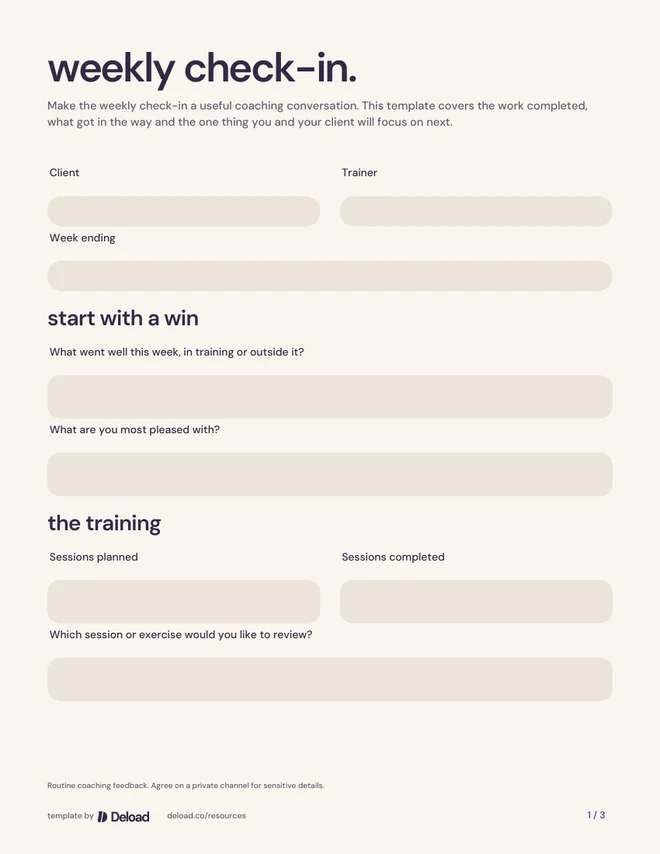
Make the weekly check-in a useful coaching conversation. This template covers the work completed, what got in the way and the one thing you and your client will focus on next.
3 pages · 19 fillable fields · US Letter · 130 KB
Fill on screen or print. No account or email required.
from download to your next session
put it to work.
- 01
Agree on a check-in day and the channel you and your client will use.
- 02
Ask your client to complete the check-in; mark anything that does not apply and discuss what matters to their goal.
- 03
Reply with one clear next step and record any change to the plan.
a little intention goes a long way
more than
boxes to fill.
Begin with the client’s week.
Ask about a win before moving to the plan. Then compare the sessions planned with those completed and give the client room to explain what helped or got in the way.
Ask for context, not just a score.
Energy, confidence and the practical demands of the week can shape the conversation. A short open question often tells you more than a number on its own. Agree on what information is useful for this client.
Close with an action.
Decide what stays the same and what changes. Make the next step small enough to be clear: an exercise to review, a session to move or one obstacle to plan around. Use your normal assessment and referral process for concerns that need more than a routine check-in.
your practice comes first
your name.
ready for your client.
Add your logo and contact details to the published template. Your practice leads every page, with a small Deload credit in the footer.
PNG or JPEG, up to 4 MB. Your logo stays in this tab.
The published questions and wording stay fixed. Your details are added locally in this browser; download before leaving. Complete client answers and service details in the PDF, then share it through your own private channel.
when you want it all together
your next chapter.
with Deload.
Keep the client’s context, your coaching and their training connected in one place.
explore client management in Deload